SAP Modernisation
SAP BusinessObjects in the Cloud: Three Routes Before BI 4.3 Support Runs Out
BI 4.3 leaves mainstream maintenance on 31 December 2026. Compare the SAP BusinessObjects cloud routes: BI 2025 then 2027, SAP Analytics Cloud or Power BI.
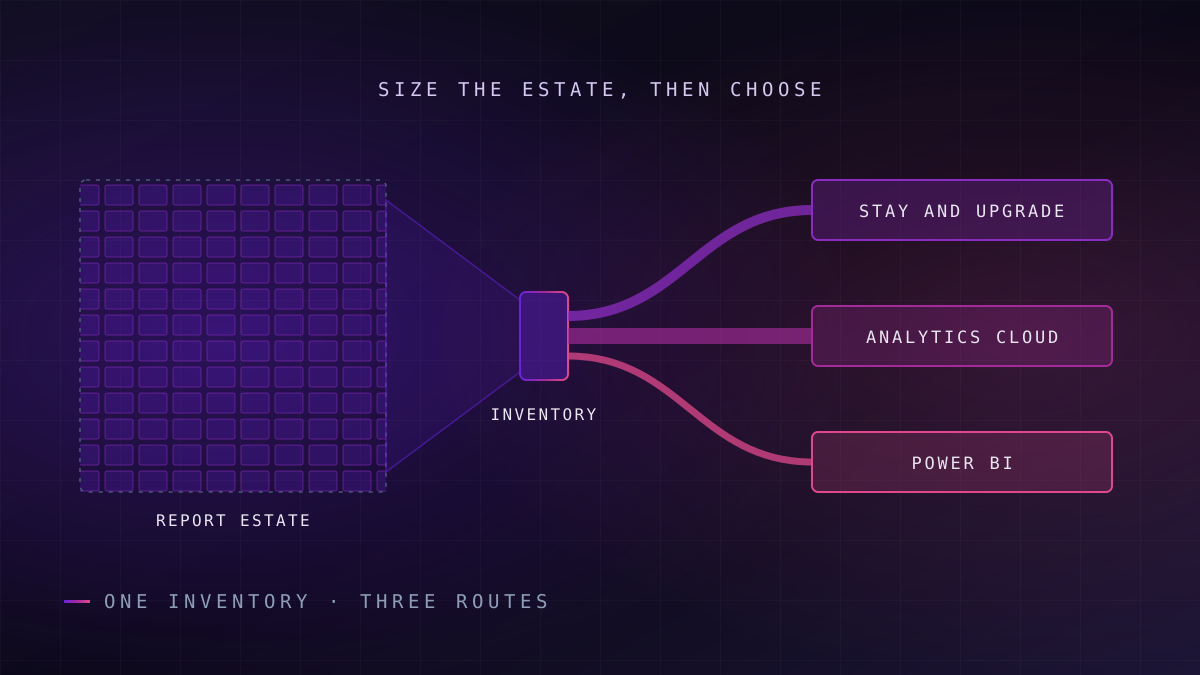
SAP BusinessObjects BI 4.3 leaves mainstream maintenance on 31 December 2026, per SAP's BI Statement of Direction (October 2026). Estates can upgrade to BI 2025, then BI 2027, on-premise or in Private Cloud Edition, or rebuild on SAP Analytics Cloud or Power BI. We recommend sizing the Web Intelligence estate first: usage, universe complexity and licence lock-in decide the route.
SAP Knowledge Base Article 3763590 is titled "SAP BI Platform 4.3 - End of Mainstream Maintenance 31 December 2026". The Statement of Direction explains what follows: once mainstream maintenance ends, BI 4.3 moves into Customer Specific Maintenance, in which SAP delivers fixes for high and very high security issues (CVSS 7.0 or above) during the first year. Under SAP's BI Statement of Direction (October 2026), that makes the end of 2027 the last guaranteed security fix.
The same document sets out what replaces it. SAP BusinessObjects BI 2025 opens what SAP's BI Statement of Direction (October 2026) calls a revised delivery model: minor releases every two years, with BI 2027 planned as the next, and mainstream maintenance for the platform guaranteed until at least the end of 2031, with each minor release receiving three years of mainstream maintenance. The product is not being retired. The 4.3 release is.
Failure mode
The date that matters is not the one on the slide
End of 2026 removes mainstream maintenance from BI 4.3; end of 2027 is the last guaranteed security fix (SAP BI Statement of Direction, October 2026). An estate that has not chosen a route by early 2027 is choosing under a security deadline, not a planning one. Confirm the current dates for your own contract with SAP.
That makes this a decision about the reporting estate, not about a server. SAP Analytics Cloud is often presented as the default answer. It may be the right one, but only an inventory of what the estate holds and how it is used can show that. What follows defines the options, sets out how to size a Web Intelligence estate, and compares the three routes on report volume, universe complexity, Web Intelligence dependence, licence model and lock-in.
What "SAP BusinessObjects in the Cloud" Actually Means
The phrase covers four different things, and vendors and advisers move between them freely. Two keep BusinessObjects; two replace it.
The first is BusinessObjects installed on cloud infrastructure that you run yourself. Nothing about the product changes; only the data centre does. The second is SAP BusinessObjects Enterprise, Private Cloud Edition (PCE), which SAP's BusinessObjects Journey to Cloud page describes as a private cloud environment fully managed by SAP. Both keep Web Intelligence (the BusinessObjects query and reporting tool), universes (its semantic layer) and the existing report estate.
The third is SAP Analytics Cloud, SAP's cloud service for analytics and planning. SAP's launch announcement for SAP Business Data Cloud (February 2025) lists it as one of the solutions the offering combines, alongside SAP Datasphere, SAP BW and SAP Databricks. SAP Analytics Cloud is a different product with a different authoring model, so moving to it means rebuilding reports rather than lifting them. The fourth, Power BI, is Microsoft's equivalent and implies the same rebuild in a non-SAP toolset.
What this means for you: the first two options change where BusinessObjects runs; the last two change what your users work in, and they carry very different cost and risk.
The Three Routes at a Glance
What this means for you: read the last column first; it tells you which estate profile each route suits before you read the argument for it.
| Route | What stays | What you rebuild | Licence model | Lock-in you accept | Choose this when |
|---|---|---|---|---|---|
| Upgrade to BI 2025, on-premise or PCE | Web Intelligence documents, universes, schedules, user habits | Platform: operating system, application server, licence keys | On-premise licences under SAP maintenance, with new BI 2025 licence keys, or an SAP-operated private-cloud package | Continued dependence on the BusinessObjects platform and its two-year release cycle | Web Intelligence carries heavy operational reporting and the estate has already been rationalised |
| Rebuild on SAP Analytics Cloud | SAP data sources and, during transition, existing universes through a live connection | Every report and dashboard, plus security and scheduling design | Cloud subscription, also available as part of SAP Business Data Cloud | Deeper commitment to SAP's cloud data and analytics stack | Analytics is SAP-centric, planning sits in the same programme, and the estate is dashboard-heavy rather than list-heavy |
| Rebuild on Power BI | Underlying databases and warehouses | Every report, plus universe logic re-expressed as Power BI semantic models | Per-user licences such as Pro and Premium Per User | Commitment to the Microsoft platform for analytics; SAP data reached through connectors | The organisation already standardises on Microsoft, and SAP is one source among several |
The routes are not mutually exclusive. SAP documents a direct live data connection from SAP Analytics Cloud to BusinessObjects universes, which lets new stories (SAP Analytics Cloud's dashboards and reports) sit on existing semantic definitions while the platform underneath is still running. SAP supports that staged option natively only on its own route, and only while a supported BusinessObjects platform is there to connect to.
A hosting decision and a rebuild are being sold under the same name.
None of those columns can be filled in for your estate without knowing what it actually contains.
How to Size a Web Intelligence Estate Before You Choose
What this means for you: the number of reports in the repository is the least useful figure you have; the number that are run, by whom, and on what schedule, is the one that prices every route.
Report counts in BusinessObjects estates are inflated by design. Users save personal copies, teams clone documents to change one filter, and schedules keep running after the person who set them up has left. A count taken from the repository describes years of accumulation, not current demand.
The inventory has four dimensions, and each changes the cost of a different route.
Usage
Which documents were opened or refreshed in the last twelve months, by how many distinct users, and from which departments. Unused content is retired, not migrated.
Duplicates
Documents that share a universe, a query and most of a layout. Clusters of near-copies collapse into one parameterised report on any target platform.
Universes
How many universes are live, how many tables and joins each holds, and how much business logic sits in derived objects, contexts and filters rather than in the database.
Schedules and distribution
Which documents are scheduled, burst to many recipients or delivered as files. This is the operational load that a dashboard tool has to absorb.
Usage evidence comes first
BusinessObjects records platform activity in its auditing data, and that history is the most valuable artefact in the whole exercise. Twelve months of it shows which documents are opened, which are only refreshed by schedules, and which have not been touched at all. Without it, every stakeholder will describe their reports as critical, and none of them will be lying on purpose.
Universes decide the rebuild cost
A semantic layer is the shared business definition of measures and dimensions that sits between the database and the report. In BusinessObjects that layer is the universe, and it often holds more logic than anyone remembers: derived measures, contexts that resolve join loops, and row restrictions that enforce security. Moving to BI 2025 carries it across. Moving to SAP Analytics Cloud or Power BI means re-expressing it, which, in our engagements, is usually the largest single cost in the rebuild.
Readiness signal
Your inventory is complete when
Every document is tagged as used, duplicated or unused; every live universe has a named owner and a complexity rating; and every schedule has a recipient list someone has confirmed is still needed. If any of the three is missing, the route decision is a guess.
Schedules reveal Web Intelligence dependence
An estate where most activity is interactive analysis maps well to a dashboard tool. An estate where most activity is scheduled, multi-page tabular output sent to hundreds of recipients behaves like an operational reporting system, and it needs a target that does that job well. In our experience, the split between the two is the best single predictor of which route will cost less to run afterwards.
With the inventory in hand, each route can be priced honestly, starting with the one that changes least.
Route One: Upgrade to BI 2025, On-Premise or in Private Cloud
What this means for you: this is the lowest-change route for users, but it is a platform project with its own prerequisites, not a patch.
Under SAP's BI 2025 release documentation, customers on BI 4.2.x or BI 4.3.x can perform an in-place update, provided their operating system is still supported by BI 2025. Others perform a fresh installation and migrate their content. The prerequisites are where estates are caught out.
The same documentation confirms that BI 2025 is supported only on Windows and Linux, with Solaris and AIX support removed, and that SAP NetWeaver application server support and the Web Application Container Server have been removed. BI 2025 runs on its bundled Tomcat, with IBM WebSphere Liberty 25 the only supported external Java application server; from BI 2027, the Statement of Direction says, SAP will rely on embedded Tomcat alone. SAP Knowledge Base Article 2282189 states that a new licence key is required when updating to BI 2025 from an earlier version. SAP publishes a list of products and features removed in BI 2025; check every component your estate uses against it, legacy universe formats and add-ons included.
When Private Cloud Edition fits
PCE moves the operational burden, not the product. SAP manages it in a private cloud environment. For an organisation whose BusinessObjects team is small and whose infrastructure is due for refresh anyway, that can be the most defensible route. It does nothing to reduce report sprawl, so the inventory still matters: an unrationalised estate in PCE is the same estate, hosted somewhere else.
Key idea
Staying is a legitimate choice, not a deferral
SAP's BI Statement of Direction (October 2026) guarantees mainstream maintenance for the platform until at least the end of 2031, but each minor release gets three years of it, so staying means BI 2025 now and BI 2027 after it. Choosing it deliberately, after rationalising the estate, is a different decision from drifting onto it because nobody chose.
The second route trades that continuity for a different set of commitments.
Route Two: Rebuild on SAP Analytics Cloud
What this means for you: SAP Analytics Cloud suits an SAP-centric organisation that wants analytics and planning in one cloud service, provided it accepts that Web Intelligence reports are rebuilt, not converted.
The case for it is strongest where the data already lives in SAP. Stories built on SAP data sources keep business semantics close to the systems that create them, and SAP's positioning of SAP Analytics Cloud within SAP Business Data Cloud means the warehouse, modelling and reporting layers can be bought and governed together. For an organisation already moving warehouse content to SAP Datasphere, it is the natural reporting tier; the warehouse side of that decision is covered in our guide to moving from SAP BW to Datasphere.
The live-universe bridge, and its limit
The direct live connection to universes is the most useful transition tool on this route. It lets teams build new stories against definitions users already trust while the rebuild proceeds domain by domain. It is a bridge, not a destination: it depends on a supported BusinessObjects platform staying up, so it extends the life of the platform you are trying to leave. The step-by-step execution of this route, from inventory to decommission, is set out in our guide to migrating BusinessObjects to SAP Analytics Cloud.
A live connection to a universe keeps the old platform alive in order to leave it.
Where the fit is weakest
In our experience, the friction concentrates on large, list-style operational reports: wide tables, many pages, burst to many recipients on a schedule. Dashboard-oriented tools are built for interactive analysis first. Before committing, prototype the three heaviest scheduled Web Intelligence documents from the inventory on the target and test them with the people who receive them. Our SAP BusinessObjects and Analytics Cloud modernisation work starts from exactly that usage evidence.
Power BI answers the same rebuild question from outside the SAP stack.
Route Three: Rebuild on Power BI
What this means for you: Power BI is a strong target when Microsoft is already the organisational standard, but the universe logic has to be rebuilt as semantic models, and that is where the effort sits.
Microsoft's Power BI migration overview (Microsoft Learn, 2024) is explicit on the point that matters most. It advises against strictly attempting to migrate reports precisely as they appear in the legacy platform, and recommends focusing on the business question each report answers. In our view, that advice holds for any route, and it is a direct argument for rationalising before rebuilding.
Two Power BI capabilities map to the two halves of a Web Intelligence estate. Interactive reports run on Power BI semantic models, which take over the role of the universe. Paginated reports, authored in Power BI Report Builder, are described in Microsoft's paginated reports overview (2025) as designed for printing or sharing, displaying all the data in a table even when it spans multiple pages, with exact control of page layout. They support email subscriptions with a PDF of the whole report; in our experience, that covers much of what scheduled Web Intelligence documents do today.
If the destination itself is still open, our comparison of Power BI, Tableau and SAP Analytics Cloud as enterprise BI platforms weighs the three against data-source fit, governance and licence shape.
What the licence model implies
Microsoft states that licence requirements for paginated reports are the same as for Power BI reports, and that a Pro or Premium Per User licence is needed to publish paginated reports to workspaces other than My Workspace. In our view, per-user licensing changes the economics: the licence bill follows the number of authors and consumers, so rationalisation pays back mainly in rebuild and maintenance effort.
In practice
In practice: keep SAP semantics in one place
Power BI reaches SAP data through connectors such as Microsoft's SAP BW connector, but the business definitions still have to live somewhere. We place them in governed semantic models built once, rather than in each report, so finance and operations do not rebuild the same measure twice.
Our data visualisation and BI dashboard practice builds that certified metric layer first and the reports on top. Whichever rebuild route wins, though, there are estates for which neither should be chosen yet.
When to Stay On-Premise
Staying on BusinessObjects, upgraded to BI 2025, is the better answer in four situations.
The first is an estate dominated by scheduled operational output. If most usage is burst, multi-page reporting that runs the business each morning, rebuilding it on a dashboard-first tool spends money to recreate what already works. Upgrade, rationalise, and revisit at the next minor release.
The second is an ERP conversion in flight. If the organisation is moving to SAP S/4HANA, the source structures beneath the universes are already changing, and rebuilding reports on top of a moving foundation doubles the testing. Our account of keeping reporting intact through an S/4HANA conversion sets out why the analytics layer should follow the conversion, not race it.
Rebuild reports on a moving source and you test them twice.
The third is data residency or contractual constraints that rule out a public cloud analytics service for some content. PCE or self-managed infrastructure keeps that content on terms you control. The fourth is a rationalised estate with stable universes and no appetite for a rebuild. If the inventory shows a few hundred well-used documents on clean universes, staying on the platform, BI 2025 then BI 2027, may simply be the cheapest supported answer for the next several years.
Where to Start on Monday
The route decision should take weeks, not a year, if the evidence exists. Gathering the evidence is the part that cannot be skipped.
- Export twelve months of usage. Pull audit history for every document and universe. If auditing has been switched off, switch it on now; a quarter of data is better than none.
- Classify the estate. Tag each document as used, duplicated or unused, and each universe by complexity and owner. A scoped data strategy assessment can set the decision rights for who signs off retirement.
- Measure the schedule load. Count scheduled and burst documents and their recipients. This is the figure that separates the routes.
- Prototype the hardest three. Rebuild the three heaviest operational reports on each candidate target and test them with their actual recipients.
- Decide, then move in waves. Retire unused content first, then migrate by domain with reconciliation against the old output. A migration factory approach runs those waves with scripted comparison and rollback, rather than analysts checking totals by eye.
Where the reporting decision is tied to a wider ERP programme, our S/4HANA transformation team sequences the two so that reports are rebuilt once.
Frequently Asked Questions
Is there a cloud version of SAP BusinessObjects?
Yes. SAP BusinessObjects Enterprise, Private Cloud Edition is a private cloud environment fully managed by SAP, and it keeps Web Intelligence reports and universes; organisations can also run BusinessObjects themselves on cloud infrastructure. SAP Analytics Cloud, SAP's cloud analytics and planning service, also offered as part of SAP Business Data Cloud, is a separate product rather than a cloud version: moving to it means rebuilding reports, not lifting the existing BusinessObjects content across.
When does support for SAP BusinessObjects BI 4.3 end?
Under SAP's BI Statement of Direction (October 2026), mainstream maintenance for BusinessObjects BI 4.3 ends on 31 December 2026. The release then moves into Customer Specific Maintenance, in which SAP delivers fixes for high and very high security issues (CVSS 7.0 or above) until the end of 2027. Maintenance terms can vary by contract, so confirm the dates that apply to your licence with SAP before fixing a programme timeline around them.
What changes when you upgrade from BI 4.3 to BI 2025?
BI 2025 runs only on Windows and Linux, drops SAP NetWeaver application server support, uses its bundled Tomcat or IBM WebSphere Liberty 25 (Tomcat alone from BI 2027), and needs a new licence key. Estates on a still-supported operating system can update in place; others install fresh and migrate content. SAP's BI Statement of Direction (October 2026) gives each minor release three years of mainstream maintenance, so BI 2025 is followed by BI 2027 rather than kept indefinitely.
Should we migrate Web Intelligence reports to Power BI or SAP Analytics Cloud?
It depends on where your data and standards sit. SAP Analytics Cloud suits SAP-centric organisations that also want planning in the same service. Power BI suits organisations already standardised on Microsoft, where SAP is one source among several. In both cases, rationalise first: in our experience, retiring unused and duplicated reports reduces the rebuild more than the choice of target does.
How do you size a BusinessObjects estate before migrating?
Use twelve months of audit data to see which documents are actually opened or refreshed and by whom. Group near-duplicate documents, rate each live universe by complexity and owner, and count scheduled and burst reports with their recipients. Those four measures, rather than the raw document count, determine the cost of each route.
Unolabs is a Data and AI first engineering consultancy, headquartered in the United Kingdom with engineering operations in Pune and active engagements across the UK, Australia, and Hong Kong. We help enterprises build the architectural foundation for autonomous AI execution — governed data platforms, semantic intelligence, and agentic systems that enterprises can stand behind.
If you are weighing where your BusinessObjects estate should go after BI 4.3, book a discovery call and we will work through it with you.
More Where
This Came From.
New architectural deep-dives land every two weeks. Pick your channels and we will send them as they publish.
Continue reading
- SAP ModernisationMigrating SAP BusinessObjects to SAP Analytics Cloud: Effort, Order and PitfallsHow to migrate SAP BusinessObjects to SAP Analytics Cloud: inventory, universes to models, Web Intelligence to stories, schedules, security and waves.13 min read
- SAP ModernisationS/4HANA by 2027: Protecting the Analytics Estate During ConversionAn ECC to S/4HANA conversion changes the tables, extractors, and embedded analytics your reporting depends on. Here is the continuity playbook.14 min read
- SAP ModernisationSAP S/4HANA Is Not a Migration Project. It's a Data Architecture Decision.S/4HANA overruns when run as a migration. Why consolidation, the BW estate and the semantic layer decide the outcome, plus three questions to ask first.15 min read
Size your Web Intelligence estate before you pick a route
We will read your BusinessObjects usage, universe and schedule data and tell you how much of the estate is worth carrying, and which of the three routes it points to.
Book a BusinessObjects Sizing